





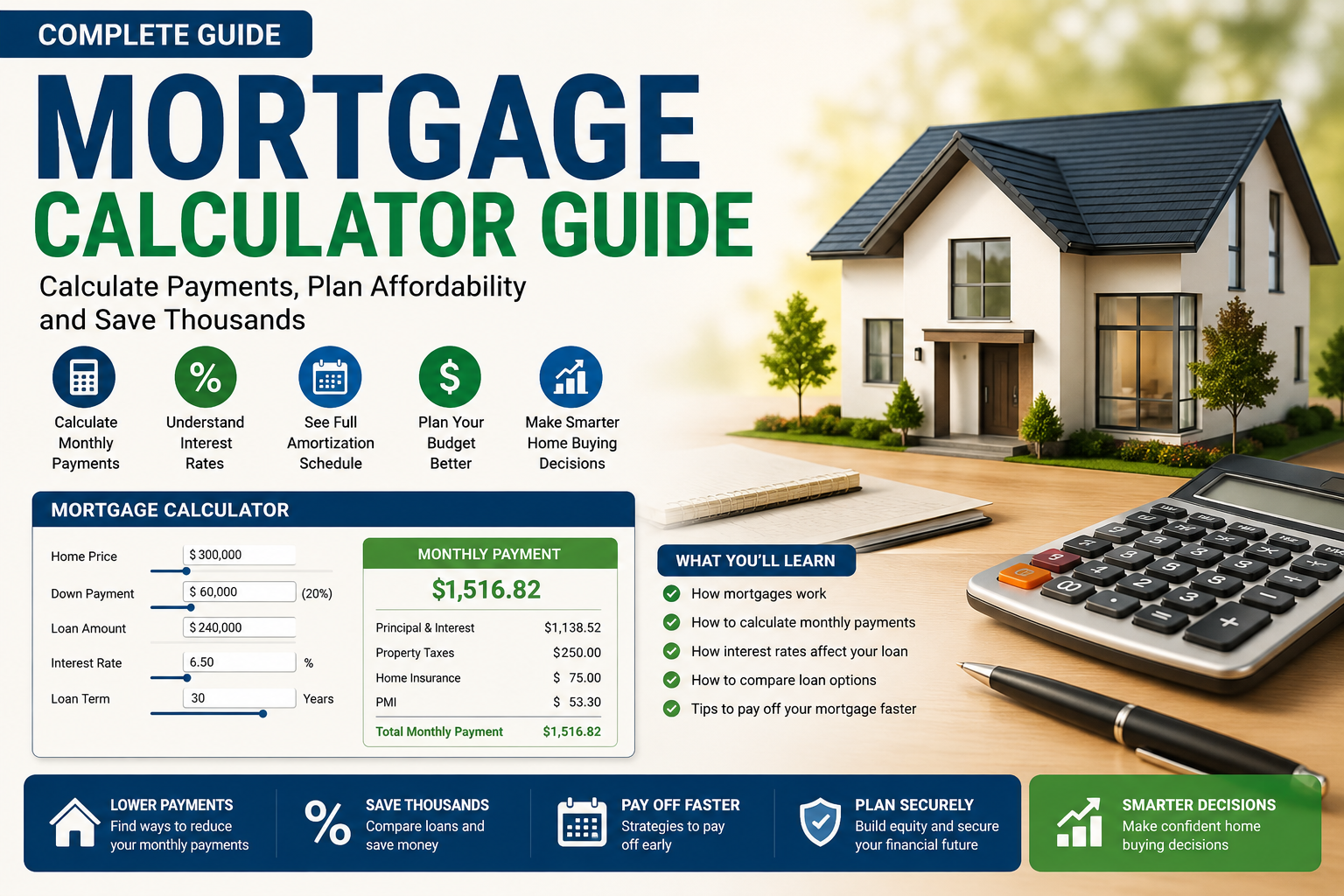
Buying a home is one of the biggest financial decisions you’ll ever make, and this mortgage calculator guide is built to help you actually understand the numbers behind it — not just the sticker price, but what your loan really costs every month and over the full life of the loan. Most buyers glance at an interest rate and a monthly payment and assume that’s the whole story. It isn’t. A proper mortgage calculator guide shows you the full picture: interest versus principal, total repayment, and how small changes in your rate or term ripple out over decades.
What This Mortgage Calculator Guide Covers
This guide walks through exactly how a mortgage calculator works, which numbers you need before you start, how to read your results correctly, and the mistakes that quietly cost homeowners thousands of dollars. By the end, you’ll know how to run the numbers yourself with confidence instead of relying on a lender’s quick estimate.
A good mortgage calculator does more than produce one number. It shows you:
- Your exact monthly principal and interest payment
- How much of each payment goes toward interest versus paying down your balance
- The total amount you’ll pay over the full life of the loan
- How extra payments could shorten your term and reduce total interest
Without this breakdown, you’re essentially guessing. Two loans with identical monthly payments can cost wildly different amounts in total interest depending on the term length and rate — and that difference is exactly what a mortgage calculator makes visible.
The Core Numbers You Need Before You Start
Before you plug anything into a calculator, gather these four inputs. Getting any one of them wrong throws off the entire picture.
1. Home Price and Down Payment Your down payment isn’t just a number you subtract from the price — it directly affects whether you’ll pay private mortgage insurance (PMI), which typically applies on conventional loans when your down payment is below 20%. A larger down payment means a smaller loan, lower monthly payments, and often a better rate.
2. Interest Rate This is where small differences matter enormously. A rate that looks only slightly higher can add tens of thousands of dollars to your total repayment over a 30-year term. Always calculate using the actual rate a lender has quoted you, not a rough market average.
3. Loan Term Most buyers default to a 30-year mortgage because of the lower monthly payment, but a 15-year loan — while carrying a higher monthly cost — usually comes with a lower rate and dramatically less total interest paid. Running both scenarios side by side is the only way to see which actually fits your goals.
4. Property Taxes and Insurance Many first-time buyers calculate only principal and interest, then get surprised when their real mortgage bill is hundreds of dollars higher. A complete mortgage calculator guide accounts for estimated property taxes, homeowners insurance, and PMI so the number you see is the number you’ll actually pay.
How to Read Your Results the Right Way
Once you’ve entered your numbers, don’t just glance at the monthly payment and move on. Here’s what actually matters:
- Total interest paid — often the most eye-opening figure. On a 30-year loan, it’s common to pay nearly as much in interest as the original loan amount.
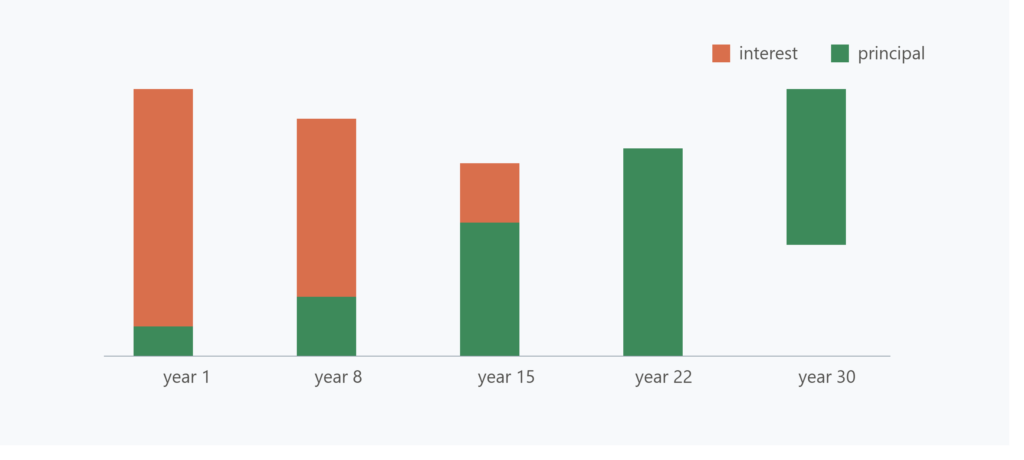
- Amortization schedule — shows how your payments shift over time. Early on, most of your payment goes to interest; later, more goes to principal. This is why extra payments made early in the loan have a far bigger impact than the same payment made in year 25.
- Break-even point on points or fees — if you’re considering paying points to lower your rate, calculate how many months it takes for the monthly savings to cover that upfront cost. If you won’t stay in the home that long, it may not be worth it.
Common Mistakes People Make With Mortgage Calculators
Ignoring the full cost of homeownership. A calculator showing only principal and interest gives you half the picture. Maintenance, HOA fees, and higher insurance in certain areas all add up.
Assuming the advertised rate is what they’ll get. Your actual rate depends on credit score, loan type, and lender — always calculate using a rate you’ve been pre-qualified for, not an advertised “as low as” figure.
Overlooking the impact of loan term on total cost. A lower monthly payment on a longer term feels more affordable today, but running the 15-year comparison at least once before committing often reveals substantial long-term savings.
Not testing extra payment scenarios. Even a modest extra payment toward principal each month, or one additional payment per year, can shave years off a mortgage and save a meaningful amount in interest. Most calculators let you model this — use it.
A Simple Step-by-Step Way to Use This Mortgage Calculator Guide
- Start with your realistic home price range based on what you’ve been pre-approved for.
- Enter your planned down payment amount.
- Use the actual interest rate from a lender quote, not a guess.
- Compare at least two loan terms — commonly 30 years versus 15 years.
- Add estimated taxes, insurance, and PMI if applicable.
- Review the total interest and full amortization breakdown, not just the monthly number.
- Test one or two extra payment scenarios to see the long-term effect.
Final Thoughts
This mortgage calculator guide isn’t just a convenience tool — it’s the clearest way to see the true cost of one of the largest financial commitments you’ll ever make. The monthly payment is only the surface. The real decision-making happens when you look at total interest paid, compare different terms, and see how small changes in your down payment or rate ripple out over decades. Spend the extra ten minutes running a few scenarios before you sign anything. It’s a small amount of time against a decision you’ll be living with for years.
microfinance CRM, loan origination system, microfinance calculator, loan calculator, EMI calculator, interest calculator, amortization calculator, loan repayment calculator, debt to income ratio calculator, credit utilization calculator, loan eligibility calculator, loan affordability calculator, prepayment calculator, compound interest calculator
3 thoughts on “Mortgage Calculator Guide: How to Know Exactly What Your Home Loan Will Really Cost You”