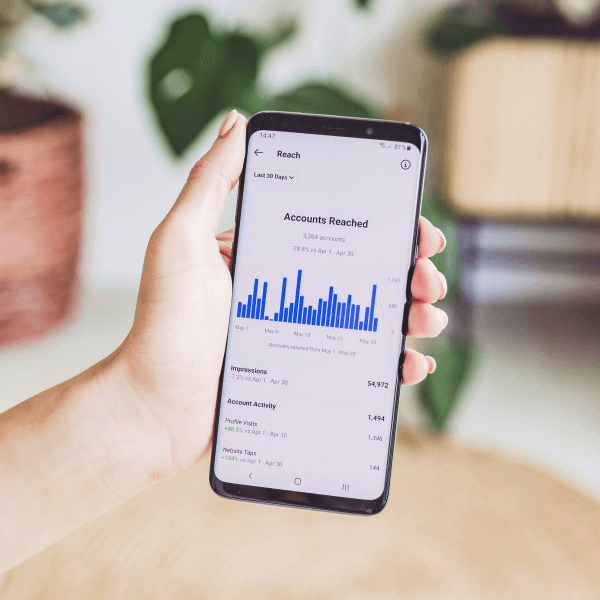





Finding the best budgeting apps UK users can trust in 2026 is harder than it should be. There are dozens of them, most promise to fix your finances, and half want a monthly fee before you have even seen your first statement. The good news: thanks to Open Banking, the top apps can pull every transaction from your Monzo, Starling, HSBC or Barclays account into one tidy dashboard. Here we compare the four apps that genuinely deserve your attention this year — Emma, Plum, Snoop and YNAB — on cost, UK bank support, auto-categorisation and bill switching.
Best Budgeting Apps UK: The 2026 Head-to-Head
Here is how the four leading apps compare on the things that matter most.
| App | Cost | UK Bank Support | Auto-Categorisation | Bill Switching |
|---|---|---|---|---|
| Emma | Free tier; paid plans from around £5/month (plans change, so check the app) | Excellent — Monzo, Starling, HSBC, Barclays, Lloyds and most other UK banks | Yes, solid automatic sorting with editable categories | Tracks subscriptions and bill hikes; direct in-app switching is limited |
| Plum | Free tier; paid tiers around £2–£5/month depending on plan | Very good — most major UK current accounts supported | Yes, decent auto-categorisation with spending insights | No — focuses on automatic savings and investing instead |
| Snoop | Free tier; paid Snoop Plus around £5/month | Excellent via Open Banking — wide UK bank coverage | Yes, strong categorisation that powers its money-saving alerts | Yes — actively finds cheaper energy and broadband deals and helps you switch |
| YNAB | No free tier; around $15/month or $99/year billed in USD | Limited — direct UK bank sync is patchy; most UK users import transactions manually | Yes, but categorisation is only half the story with YNAB | No — pure budgeting method, no switching tools |
Emma vs Snoop: The Free Tier Winners
For most UK users, the honest answer is that you do not need to pay at all. Emma and Snoop are the free tier winners in 2026.
Emma’s free plan is the closest thing to a full budgeting app without a price tag. It pulls together all your UK accounts, categorises spending automatically, flags subscriptions you forgot about, and nudges you when pay lands. Paid plans start from around £5 a month, but the free version already covers the core job for most people.
Snoop’s free tier is the money-saver’s choice. Where Emma shows you where the money went, Snoop is constantly asking whether you are overpaying — watching your energy, broadband, insurance and subscriptions, then pinging you when a cheaper deal exists. Snoop Plus (around £5/month) mostly adds deeper personalisation rather than locking away basics.
Plum: The Saver’s Budgeting App
Plum takes a different angle. Rather than obsessing over categories, it quietly sets money aside for you — rounding up spare change, sweeping small amounts on paydays, or stashing cash before you spend it. It connects to most major UK banks and its auto-categorisation is perfectly serviceable, but budgeting is the supporting act: the headline is effortless saving. The free tier gives you basic auto-saving and spending views; paid tiers, roughly £2 to £5 a month, unlock higher-interest pockets, custom rules and investing options. If your real problem is keeping money unspent rather than tracking it, Plum deserves a look.
Why YNAB Fans Swear By Zero-Based Budgeting
YNAB (You Need A Budget) is the odd one out, and its fans are famously devoted. The reason is its method: zero-based budgeting, where every pound gets a job before the month starts. You do not budget what is left over; you decide upfront what each pound is for — rent, groceries, the holiday fund — until nothing is unassigned. Overspend on takeaways and you have to consciously steal from another category, which stings in exactly the right way. People credit it with getting them out of debt and building savings for the first time.
The catch for UK users is practical: YNAB costs around $15 a month with no free tier, and its direct bank connections are built for the US market, so most UK users import transactions manually. If you love the method, that friction is worth it — many say manual entry makes them more mindful. But if you want effortless UK bank syncing, Emma or Snoop will feel smoother.
Best Budgeting Apps UK: How Safe Is Open Banking?
Is it actually safe to hand a budgeting app access to your bank account? The short answer is yes — with one caveat: only use apps that connect through regulated Open Banking.
Under UK Open Banking rules, third-party apps connect to your bank through secure, bank-approved channels. Legitimate apps like Emma, Snoop and Plum are regulated or registered with the Financial Conduct Authority (FCA), which sets strict rules on data handling.
The key concept is read-only access. When you link your Monzo or HSBC account, you grant the app permission to see your transactions — not to move your money. It cannot make payments, transfers or withdrawals. You can also revoke access at any time, either in the app or through your bank’s own app.
Before you sign up: confirm the app mentions FCA registration or Open Banking on its website, and never share your actual online banking password with a third party (Open Banking redirects you to your bank to approve the connection). Stick to these rules and budgeting apps are no riskier than online banking itself.
FAQs: Best Budgeting Apps UK
What is the best free budgeting app in the UK?
Emma and Snoop. Emma offers the cleanest all-round free dashboard; Snoop’s free tier is unbeatable for alerts about cheaper bills and subscriptions. Both use Open Banking and neither charges for the basics.
Are budgeting apps safe to use with UK banks?
Yes, when they use regulated Open Banking. FCA-regulated apps get read-only access to your transactions — they can see your spending but cannot move your money. Check for FCA registration and approve connections through your bank’s own app.
Does YNAB work with UK banks?
Partially. YNAB’s automatic sync is built mainly for US banks, so UK users typically import transactions manually or upload bank statements. The zero-based method itself works perfectly well in pounds — it is just the syncing that takes extra effort.
Can a budgeting app actually switch my bills for me?
Snoop comes closest: it spots overpriced energy, broadband and insurance deals and guides you through switching. Emma tracks subscriptions and warns of price rises but does not switch for you. Plum and YNAB offer no bill switching at all.
Our Verdict: Which App Should You Download?
For most readers, the answer is simple: download Emma for day-to-day budgeting or Snoop if your bills need a shake-up — both are free and both connect smoothly to UK banks. Choose Plum if saving (not tracking) is your real weakness, and YNAB only if you are ready to commit to zero-based budgeting and do not mind manual imports and a monthly fee. Prices and plans change, so double-check the latest figures in each app before committing.